

B2B SaaS Integration Strategies: Connecting Your Product to Enterprise Tech Stacks in 2026
October 19, 2026
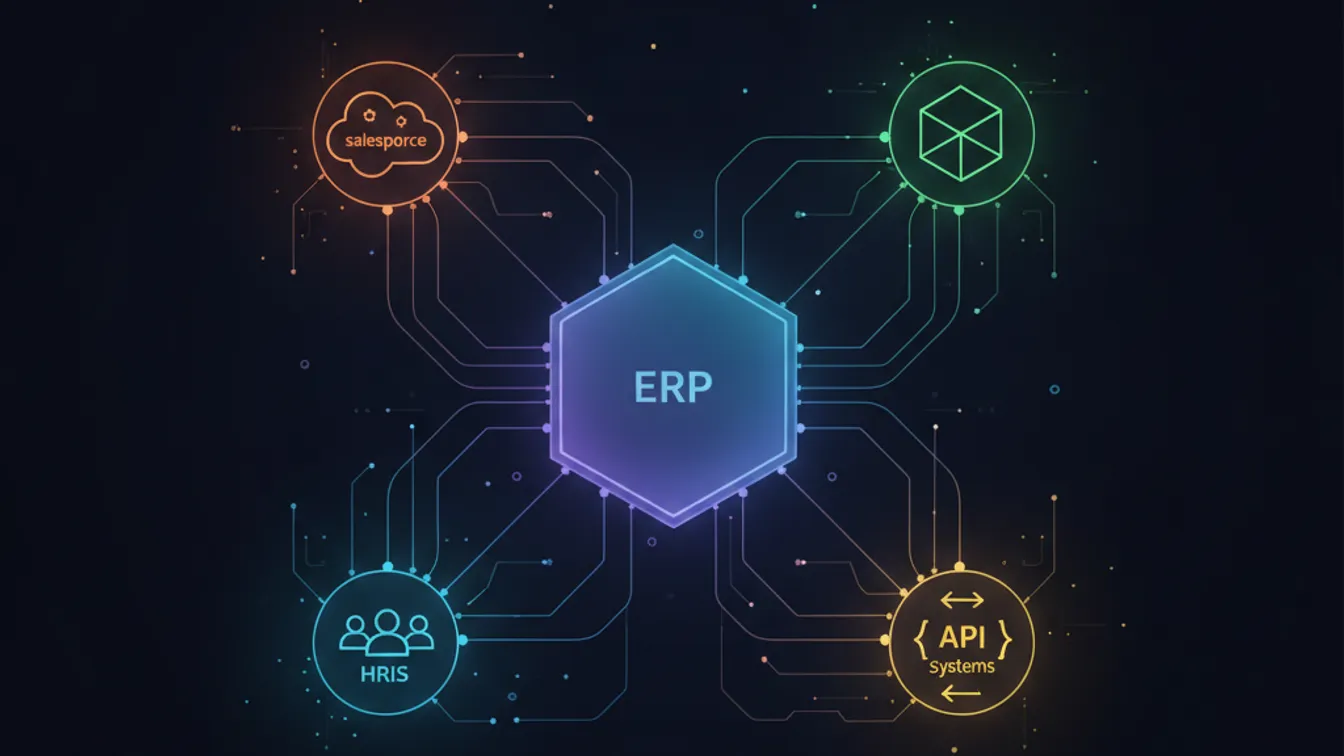
The story plays out the same way at company after company: a B2B SaaS startup wins a promising pilot with a mid-market or enterprise client, then stalls on renewal — not because the core product failed, but because it couldn’t talk to the tools the client already used every day. CRM. ERP. HRIS. Slack. The customer doesn’t care how elegant your architecture is; if your product doesn’t integrate with their stack, it becomes a liability rather than a solution.
In 2026, integration capability has moved from a nice-to-have to a deal-qualifier in most enterprise sales cycles. This guide breaks down the integration strategies that B2B SaaS teams use to close — and keep — enterprise deals.
Why Enterprise Integration Is Different
Consumer SaaS users tolerate friction. Enterprise buyers can’t. When a financial services firm evaluates your product, they want to know exactly how data flows between your system and their Salesforce, their NetSuite, their data warehouse, and their identity provider — ideally before the procurement committee meets.
Enterprise integration requirements typically cluster around five areas:
- Data synchronization — bidirectional record sync across CRM, ERP, or HRIS systems
- Authentication and SSO — SAML 2.0, OIDC, and SCIM provisioning for enterprise identity providers
- Event-driven workflows — webhooks and event streams that trigger actions in downstream tools
- Reporting pipelines — write access to data warehouses or BI tools for consolidated analytics
- Compliance and audit trails — tamper-evident logs that satisfy SOC 2 or ISO 27001 requirements
The mistake most SaaS teams make is treating these as engineering tickets to handle “later,” after product-market fit. By the time an enterprise deal is on the table, later has already passed.
The Four Integration Approaches
1. Native Connectors
A native connector is a purpose-built, first-party integration your engineering team owns and maintains. It lives inside your product and typically offers the most polished experience — a dedicated UI, robust error handling, real-time sync, and the brand trust that comes from “this is how it’s meant to work.”
When it makes sense: when a single platform (Salesforce, HubSpot, Stripe) accounts for a large share of your target customers and the integration is a genuine competitive differentiator.
The trade-off: every native connector requires ongoing maintenance as the third-party API evolves. For a small engineering team, owning five or six of these at high quality is expensive.
A well-designed native connector pairs your product’s API-first architecture with the third-party platform’s webhooks and bulk-sync endpoints, giving you both real-time updates and reliable historical backfill.
2. Embedded iPaaS
An embedded iPaaS (integration Platform as a Service) — tools like Merge, Apideck, or Paragon — provides a unified abstraction layer over whole categories of tools. You build one integration against the iPaaS, and your customers get connections to dozens of HRIS, CRM, or ticketing systems without additional engineering sprints.
When it makes sense: when your customers use a wide variety of tools within the same category and building native integrations to each would take years. This pattern is common in HR tech, recruiting, and expense management.
The trade-off: you take on a dependency and an ongoing cost, and the abstraction sometimes trades depth for breadth — some power-user workflows require direct API calls that the unified layer doesn’t expose.
3. Webhook-First APIs
Rather than pulling data on a schedule, a webhook-first API pushes events to your customers the moment something happens. Enterprise engineering teams strongly prefer this model because it is efficient (no polling overhead), real-time, and composable — they can pipe your events into their existing event bus, iPaaS, or automation platform without calling you first.
Key design decisions for enterprise-grade webhooks:
- Delivery guarantees — at-least-once delivery with idempotency keys so retries don’t create duplicate records
- Retry logic — exponential backoff with dead-letter queues for visibility into failed deliveries
- Signature verification — HMAC signatures so enterprise security teams can validate the origin of each event
- Versioned payloads — schema versioning so breaking changes don’t cascade into customer pipelines
4. Low-Code Automation Connectors
Most enterprises have standardized on a workflow automation tool — Zapier, Make, or Microsoft Power Automate. Publishing a well-maintained connector on one of these platforms can unlock thousands of integrations your users configure themselves, without filing a support ticket.
This works best as a long-tail strategy: you cover the most critical integrations natively, use automation platforms for the rest, and let advanced users wire up workflows you would never have time to build yourself.
The Integration Experience Layer
Technical plumbing is only half the problem. Enterprise buyers evaluate the experience of setting up and managing integrations just as critically as the underlying reliability. A few principles separate enterprise-grade products from the rest:
One-screen setup. The integration setup flow should not require the customer to leave your app, copy-paste API keys, or read documentation. OAuth flows, guided field mapping, and inline validation are table stakes.
Observability built in. Show the customer what synced, when, and whether any records failed. An integration that silently drops 2% of records for three months is worse than one that fails loudly on day one.
Field mapping that respects their schema. Enterprise customers have custom fields everywhere. A rigid sync that maps only standard fields will fail in half of all deployments. Configurable field mapping — even a simple drag-and-drop UI — converts trials to contracts.
Sequencing Your Integration Roadmap
A pragmatic sequencing model for early-stage B2B SaaS teams:
- Identify the top three integrations by deal frequency. Your sales team will have this data. Those three become your first native connectors.
- Add SAML/SSO and SCIM early. Enterprise identity requirements block more deals than most teams expect. Solve this at Series A, not Series B.
- Ship a webhook API before you need it. Webhooks are faster to build than custom integrations and give enterprise buyers the building blocks to self-serve.
- Evaluate embedded iPaaS for category coverage. Once you have a clear product category, an embedded iPaaS can cover 80% of the integration surface in a few sprints.
- Publish automation connectors for the long tail. Once your core integrations are stable, a Zapier or Make connector is a low-effort multiplier.
Integration as a Sales Accelerator
The SaaS teams that close the largest enterprise deals tend to think of integrations less as a feature and more as a sales infrastructure layer. Every integration in your catalog reduces friction at a specific point in the buyer’s internal process — compliance review, security review, IT approval, or end-user adoption.
A dedicated integrations page on your marketing site, a public integration catalog, and proactive outreach to SI (systems integrator) partners who live inside your customers’ tech stacks are often more impactful than shipping the next product feature.
The practical question is not “should we build integrations?” — it is “which integrations unblock the next ten enterprise deals, and what is the fastest path to each?”
If you’re building a SaaS product and want to design an integration strategy that accelerates your enterprise pipeline, we can help you sequence these decisions from seed through scale.
Start a project with Nevrio and build the integration layer your enterprise clients demand.
