

Progressive Web Apps in 2026: The Business Case for Going Web-First
July 9, 2026
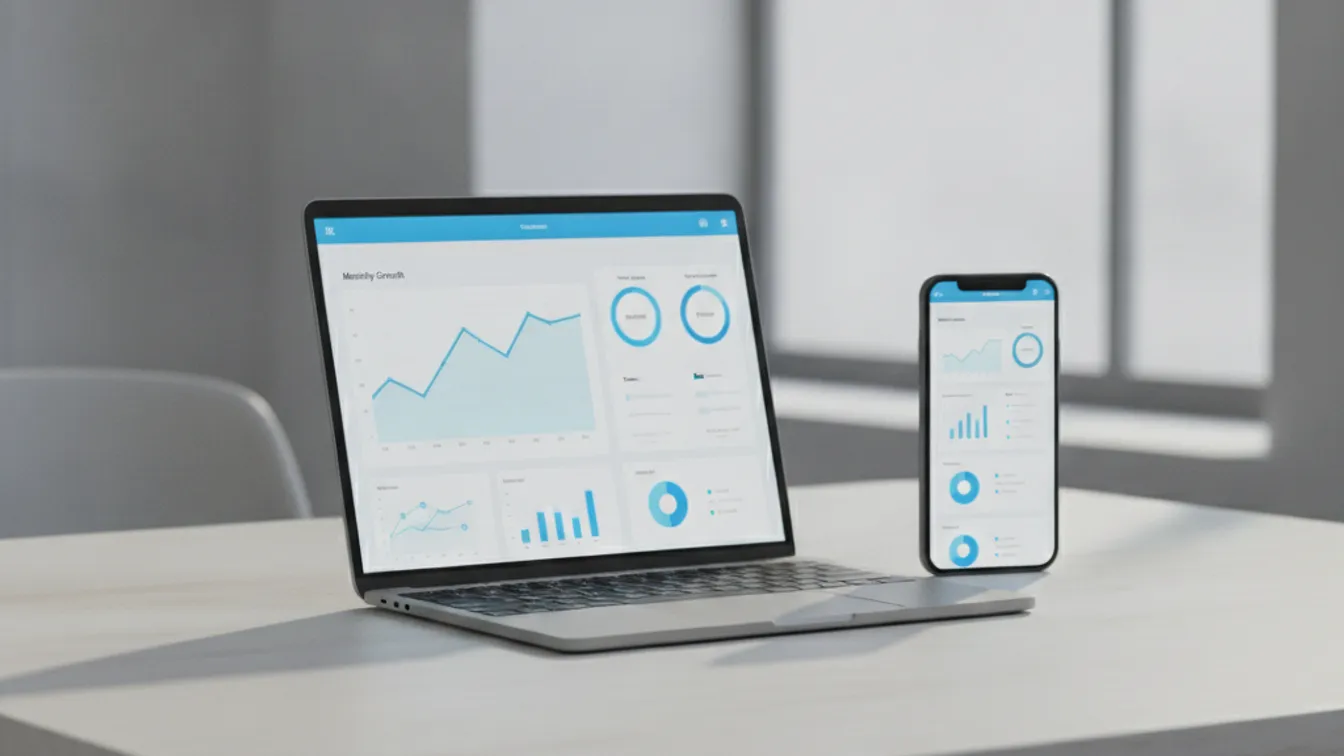
You want mobile users to love your product. You also don’t want to spend six months and six figures shipping apps to two different app stores — only to start a third separate codebase for your website. That three-way split has been the status quo for years. Progressive Web Apps (PWAs) are the way out of it.
In 2026, PWAs have crossed a threshold: browser support is near-universal, Apple finally lifted most of its Safari restrictions, and the performance gap between PWAs and native apps has closed enough that for the majority of use cases — retail, SaaS dashboards, booking flows, content platforms — a well-built PWA will match or beat the user experience of a native app while costing dramatically less to build and maintain.
What Makes an App “Progressive”?
A PWA is a website that uses modern browser APIs to behave like a native application. Three technologies make it work:
- Service workers — a script that runs in the background, intercepts network requests, and caches assets so the app loads instantly and works offline.
- Web App Manifest — a JSON file that tells the browser how to “install” the app: its name, icon, splash screen, and display mode (full-screen, standalone).
- HTTPS — a requirement, not a bonus. Service workers only run over secure connections.
When these three are in place, modern browsers (Chrome, Edge, Safari, Firefox, Samsung Internet) will prompt users to add the app to their home screen — no app store involved.
Why 2026 Is the PWA Tipping Point
Apple opened the door. iOS has historically limited PWAs: no push notifications, no background sync, restricted cache quotas. From iOS 16.4 onward, Apple added Web Push support for installed PWAs, and each subsequent release has quietly extended permission parity. By mid-2026, the vast majority of iOS users are on versions that support the full PWA feature set.
Core Web Vitals rewards fast sites. Google’s ranking signals now heavily penalise slow, layout-shifting pages. A PWA that scores well on Largest Contentful Paint (LCP), Cumulative Layout Shift (CLS), and Interaction to Next Paint (INP) doesn’t just feel better — it ranks higher.
App store fatigue is real. Discovery inside the App Store and Google Play has become harder and more expensive for most businesses. PWAs are found through search and social links — the same channels already driving your web traffic.
The Business Numbers
The cost argument is straightforward. A custom mobile app built natively for both iOS and Android requires two separate codebases, two teams or a single team with dual expertise, and ongoing maintenance for every OS update. A PWA runs on a single codebase, deployed once, updated instantly (no waiting for app-store review cycles), and is immediately accessible to 100% of your users on any device.
Beyond cost, the conversion improvements are the bigger story. PWAs tend to outperform plain websites on bounce rate and session depth because:
- Instant loading from cache removes the network delay users feel on repeat visits.
- Full-screen immersive mode eliminates browser chrome and keeps the user inside your experience.
- Push notifications (where permitted) re-engage users without requiring them to open an app.
What Kinds of Businesses Benefit Most?
PWAs are not always the right answer — native apps still make sense for graphics-heavy games, AR features that need deep hardware access, or apps that spend most of their session time offline. But for a wide range of business categories, a PWA is the superior choice:
E-commerce and Retail
Product browsing, cart management, and checkout all translate perfectly to a PWA. Service workers cache product images and catalog data, so the shopping experience is snappy even on a weak 4G signal. Push notifications handle back-in-stock alerts and abandoned-cart recovery without a native app.
SaaS and Dashboard Products
If your core product is a data-heavy dashboard — analytics, CRM, project management, billing — a PWA gives you desktop-class UI on mobile with no extra build. Users on any device get the same experience, and you maintain one codebase.
Booking and Appointment Platforms
Healthcare, hospitality, fitness, professional services — any flow where a user books a time slot, fills a form, and receives a confirmation is a natural fit. The installability means the app sits on the home screen just like a native calendar app.
Media and Content Platforms
Cached articles, offline reading modes, and push notifications for breaking content: all available in a PWA without asking users to download anything.
Building a PWA That Performs
A PWA label is easy to earn (a basic service worker and manifest gets you there) but a high-quality PWA takes real engineering. The difference shows up in:
Caching strategy. Stale-while-revalidate for frequently-changing data, cache-first for static assets, network-first for authenticated API calls. Getting this wrong means users see stale data or get no offline experience at all.
App shell architecture. The UI shell (navigation, layout) loads from cache while content loads from the network. When done correctly, the perceived performance feels instant.
Push notification UX. Asking for notification permission on first load is a common mistake. Tie the permission request to a specific user action — opting into a deal, completing a booking — and your opt-in rates climb significantly.
Background sync. Service workers can queue write operations (form submissions, cart adds) and replay them when the connection returns. For field-service or logistics use cases, this is essential.
These patterns require developers who understand both the service-worker lifecycle and performance profiling. If you’re evaluating MVP development, a PWA-first approach is often the fastest path from zero to a shippable product that works across all devices.
PWA vs. Native: Making the Right Choice
| Factor | PWA | Native App |
|---|---|---|
| Time to ship | Weeks | Months |
| Platform reach | All browsers/devices | iOS + Android (separate) |
| Offline support | Yes (with service workers) | Yes (native APIs) |
| Push notifications | Yes (iOS 16.4+, Android) | Yes |
| Hardware access | Limited (camera, GPS, sensors) | Full |
| App store presence | Optional (PWA stores exist) | Required for discovery |
| Update cycle | Instant (no store review) | Days to weeks |
| Maintenance cost | Lower | Higher |
For most product teams evaluating this for the first time, the question to ask is: does our product need deep hardware integration? If the honest answer is no, the PWA path is worth serious consideration.
Getting Started in 2026
A greenfield PWA built on a modern framework (Next.js, SvelteKit, Astro, Remix) takes advantage of built-in service-worker tooling, image optimization, and code splitting out of the box. Converting an existing website into a PWA is often a matter of adding a service worker, a web manifest, and auditing performance against Core Web Vitals targets.
Either way, the project benefits from planning the caching strategy upfront, designing the offline experience intentionally (rather than defaulting to a generic error screen), and load-testing the service-worker behaviour under real network conditions.
If you’re building a new product or modernising an existing one, a PWA-first strategy can get you to market faster, reach more users, and keep long-term maintenance costs in check — without sacrificing the experience users expect.
Start your PWA project with Nevrio — our team has shipped PWAs across retail, SaaS, and healthcare verticals, and we’d be glad to help you figure out whether a PWA, a native app, or a hybrid approach is right for your product.
